

Simple Voice Chat on your Minecraft server
With this guide, your Minecraft Java server gets distance-based voice chat: players who stand close together can hear each other, and players who are far apart can't. At AeonHost, you set up [Simple Voice Chat](https://modrinth.com/plugin/simple-voice-chat) with one click. The panel itself reserves the UDP port and enters it in the configuration.
What you need
- A Minecraft Java server at AeonHost with Paper, Purpur, Folia, Fabric, Forge or NeoForge. Simple Voice Chat does not run on plain Vanilla.
- The Simple Voice Chat mod in each player's own game – matching their loader (Fabric, Forge, NeoForge or Quilt) and the server's Minecraft version.
- A headset or microphone.
1. Check the server software
In the customer area, on your server's page, click Open in Panel and select Version on the left. There you can see which software is running. If the server runs on Vanilla, switch to Paper or Fabric – your worlds are kept.
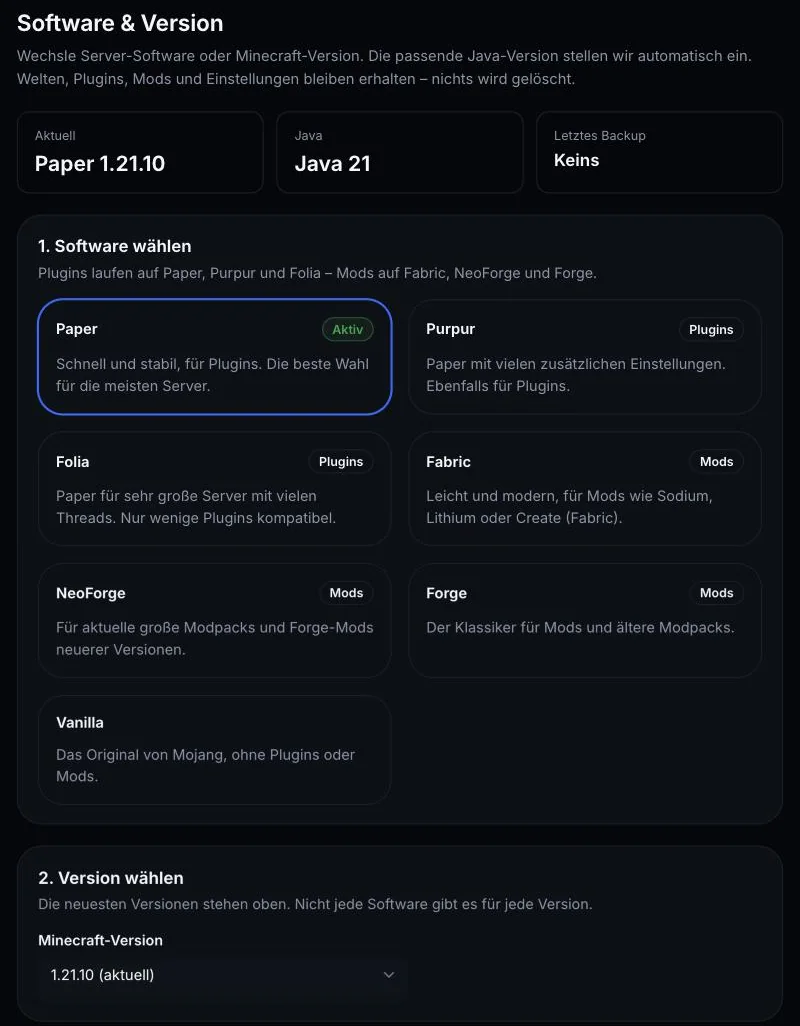
More on switching: Switching the Minecraft server version.
2. Set up voice chat with one click
- In the panel, open the Crossplay & Voice menu.
- On the Simple Voice Chat card, click Voice Chat einrichten (set up voice chat).
- Restart the server – the panel offers Jetzt neu starten (restart now) for this.
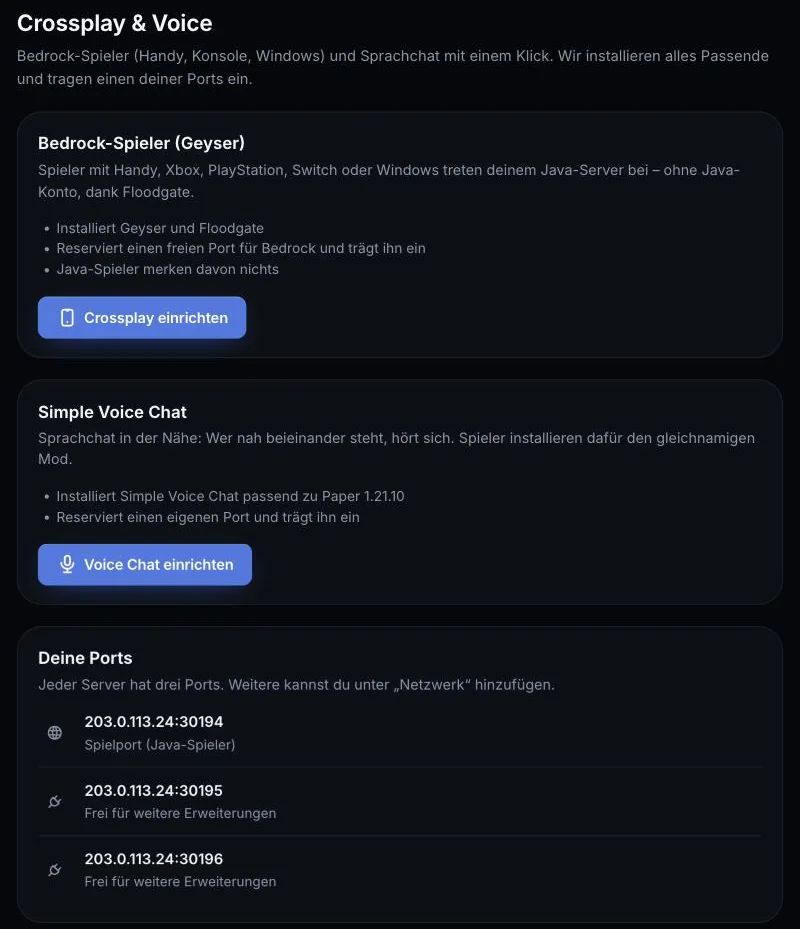
What happens:
- AeonHost downloads the matching version of Simple Voice Chat from Modrinth – as a plugin for Paper, Purpur and Folia, or as a mod for Fabric, Forge and NeoForge.
- One of your ports is reserved as the Voice-Port (UDP) and entered in the configuration. You don't need to set anything by hand.
The card then shows Aktiv (active) with the voice port. Under Deine Ports (your ports), you can see which port is reserved for what.
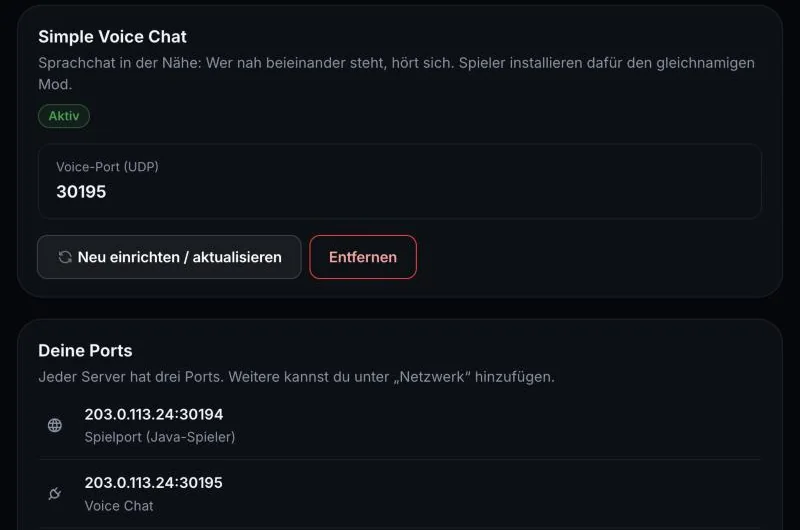
After a change of Minecraft version or software, click Neu einrichten / aktualisieren (set up again / update). To take Voice Chat out again and free up the port, use Entfernen (remove).
3. Players set up the client
- Each player installs Simple Voice Chat in their own Minecraft – the easiest way is via a launcher with Modrinth support, or manually with Fabric or NeoForge.
- On first join, a short setup wizard guides you through microphone, speakers and activation: Voice Activation or Push-to-Talk.
- At any time, V opens the voice chat menu.
The default keys according to the official wiki:
| Key | Function |
|---|---|
| V | Open voice chat menu |
| M | Mute microphone (with Voice Activation) |
| N | Turn voice chat off completely |
| H | Hide voice chat icons |
| G | Group chats – only up to Minecraft 1.21.5, no default key after that |
Push-to-Talk has no default key; each player sets their own in the setup wizard.
4. Advanced settings
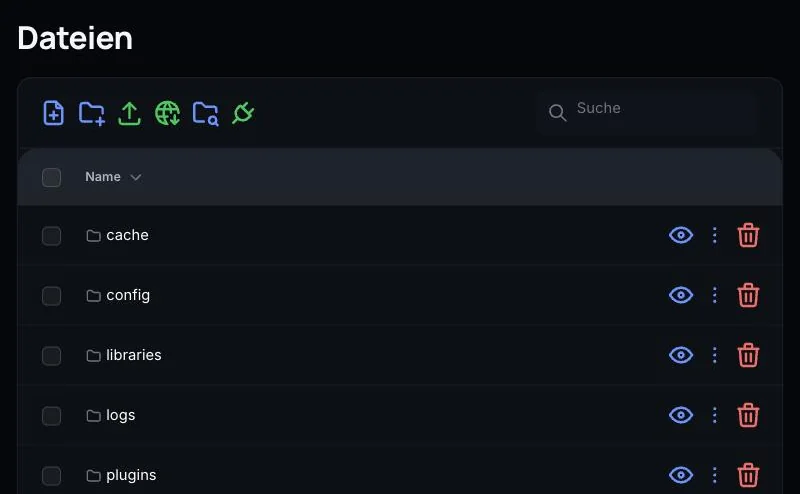
The settings are in voicechat-server.properties. You'll find the file in the panel under Files:
- Paper, Purpur, Folia:
plugins/voicechat/voicechat-server.properties - Fabric, Forge, NeoForge:
config/voicechat/voicechat-server.properties
The most important values, according to the server configuration page:
| Entry | Default | Meaning |
|---|---|---|
max_voice_distance |
48 |
Hearing range in blocks |
whisper_distance |
24 |
Range when whispering |
enable_groups |
true |
Allow group chats (regardless of distance) |
allow_recording |
true |
Players may record conversations |
force_voice_chat |
false |
true: players without the mod are kicked |
port |
– | Voice port – set automatically by AeonHost, do not change |
Leave port, bind_address and voice_host unchanged. Above all, never set port to -1 (share the game port) – according to the developer, this can crash the server. Restart the server after every change.
5. What about Bedrock players?
With Geyser on the same panel page, Bedrock players can join your Java server – see Java and Bedrock together. Simple Voice Chat is a Java mod, though: Bedrock players can't install it and don't hear the voice chat.
Common problems
Voice chat won't connect
Under Crossplay & Voice, check whether the card shows Aktiv, and restart the server. If you changed the software or version, click Neu einrichten / aktualisieren. If the value after port= in the configuration doesn't match the voice port under Deine Ports, set up voice chat again.
An online port checker reports the port as closed
Most port checkers test TCP. Simple Voice Chat uses UDP, so the result tells you little. Rely on Deine Ports in the panel instead.
I can't hear anyone
Does everyone have the mod in the matching version? Is your microphone muted (M) or voice chat turned off (N)? Are you standing closer than 48 blocks to each other? In the V menu, you can see whether you're connected.
Players are kicked when they join
If force_voice_chat is set to true, anyone without the mod is removed from the server. Set the value to false, or have your players install the mod.
The mod doesn't match the server version
Client and server need the same Minecraft version. Check it under Version and download the matching file for your game from Modrinth.
Further reading
Did this guide help? We are happy to help personally.